Stats How It Works Scanning RSVP App Store Realms Pro Author Download Free
Your Robo Archivist

Meet
Arch Buddy.

Turn any wall of text into a reading session you can easily finish. Snap, paste, upload—then read at your speed.

Scroll
1000MAX WPM
7+Unlockable Realms
3Collectible Archivists
3xStreak Multiplier 
What Is Arch Buddy

An ancient library.
Very modern tools.

Arch Buddy turns a daunting wall of text into something you can actually finish—with the help of your own Robo Archivist. Playing a game and hit with a massive paragraph? Snap a photo. On a site, don't feel like scrolling? Paste a link. Got an essay to revisit? Upload a doc.

Snap It
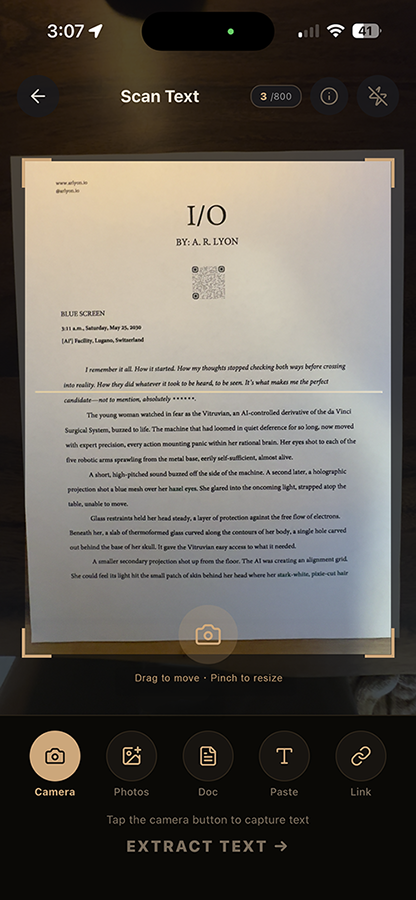
Point your camera at any printed text—game screens, labels, book pages, handouts. Arch Buddy extracts it instantly using on-device OCR. And it gets even better with Pro!
Paste a Link
Drop in any URL and Arch Buddy pulls the clean reader-mode version—no ads, no menus, just the words that matter.
Upload a Doc
PDF, DOCX, RTF, TXT—import whatever you're facing and get straight into the session. Let Arch Buddy tell you just how many minutes or seconds it will take!
RSVP Reading
One word at a time, at a speed you choose. Smart Dynamic Speed ramping builds momentum at a pace you choose.
The Loop

How It Works

Inside this ancient library, you'll use modern tech like RSVP, adjustable WPM sliders, and smart ramping to build momentum. Each session earns rewards so your Archive grows over time.

01
Capture your text
Scan, paste a link, or upload a document. Arch Buddy accepts it and extracts the text cleanly. Tap the main capture circle and choose your input method.
02
Select what matters
Tap paragraphs to include or exclude them. Choose the portion of text that actually matters before you spend any brainpower on it.
03
Prepare to read
Set your WPM (100-1200), toggle Dynamic Speed so you warm up gradually, pick your highlight colour. Arch Buddy tells you exactly how many seconds the session will take.
04
Read, pause, rewind
One word at the optimal recognition point. The UI fades away. Tap to pause and Arch Buddy will show the words you read so you can easily skip back. Real reading means occasional re-checking—Arch Buddy treats that as normal.
05
Earn and build
Every completed session earns Bookmarks and Scrolls. Spend them to unlock new Realms, place Augments in your Archive, and upgrade your Arch Buddy. Keep up your reading streak and unlock a 3x multiplier for all Bookmarks earned. And if you're a Pro user, you get an extra 2x multiplier on rare Scrolls.
Text Capture

Two ways to scan.

Free scanning works offline instantly. Pro Deep OCR brings in AI muscle for the hard stuff.

Free · On-Device
Built-In OCR
Uses your iPhone's on-board OCR engine—the same tech behind iOS Live Text. Fast, private, and works completely offline. Great for clean printed text, sharp labels, and well-lit pages.
Like your trusty Arch Buddy squinting carefully at a page and reading every word aloud.
Pro · AI-Powered
Deep OCR
Sends your image to ChatGPT, the big brains. It reads messy handwriting, faded pages, complex layouts, foreign scripts, and basically anything a pixel can hold. One credit per scan.
Like imbuing your Archivist with the powers of an ancient oracle who has read every book ever written.
The Science

What is RSVP?

Rapid Serial Visual Presentation—RSVP—is a speed-reading technique that displays text one word at a time in a single fixed position on screen. Instead of your eyes scanning left to right across a line, the words come to you. It's the same technique used by speed-reading tools worldwide, now built into an Archive that grows with every session you complete.

Eliminate Eye Movement
Most of the time you spend "reading" is actually your eyes moving—left to right, line to line. These are called saccades. RSVP removes them entirely. Your gaze stays locked; the words do the moving.
Speed Without Sacrifice
The bottleneck was never comprehension—it was mechanics. Most people can read meaningfully faster than they think. RSVP reveals your real ceiling by removing the physical overhead of scanning a page.
One Point. Full Focus.
When a single word appears at the optimal recognition point—the position your brain processes language fastest—comprehension happens more naturally. Less effort, more retention.
ORP—Optimal Recognition Point
Each word is aligned to its ORP—typically slightly left of centre. This is the position the eye naturally seeks when landing on a word, making each flash feel immediate rather than effortful.
Dynamic Speed Ramping
Arch Buddy doesn't start you at full speed. Dynamic Speed warms you up gradually, letting your brain settle into the rhythm before pushing the pace—so you build momentum instead of hitting a wall.
Pause, Rewind, Revisit
Real reading means going back occasionally. Tap to pause, skip back a few words, jump forward. Arch Buddy treats re-reading as part of the process, not a failure of the method.
100 to 1200 WPM—You Decide
Start comfortable, find your ceiling, push further over time. The WPM slider is yours to control at any point—before a session or mid-read. Most users find their pace within the first two sessions.
In the Wild

Live on the App Store.

Find Arch Buddy on iOS—free to download, with Pro features available for readers who seek for more knowledge.

9:41
Search

App preview
Arch Buddy icon
Arch Buddy
Your Robo Archivist
GET
4.8
★★★★★
142 Ratings
4+
Age
#12
Education
Free
In-App
Purchases
There's a stack of unread text between you and what you need to know. Arch Buddy is built to help, showing you just how many seconds or minutes it'll take to finish. more
Archive
Scanner
Mods
🏆
Today
🎮
Games
🔍
Search
📦
Apps
👤
Account
1
No account required
Download and read immediately. No sign-up, no email, no onboarding wall. Your Archive builds on your device from the first session.
2
Works on anything with text
Physical pages, digital articles, uploaded documents, pasted links. If it has words, Arch Buddy can read it. The input method doesn't matter.
3
Your speed, your pace
100 to 1200 WPM with a slider you control. Most users find their comfortable pace within the first few tries!
4
The library is yours
Everything you unlock—Realms, Augments, Arch Buddy skins—stays in your Archive. The library you build over months of reading is genuinely and persistently yours.
5
Explore Settings & Unlock Fonts
Change font size, adjust the highlight letter colour to whatever helps you lock in. If you're more of a sans-serif person, you can get different fonts directly inside the app.
Your World

Realms & Mods

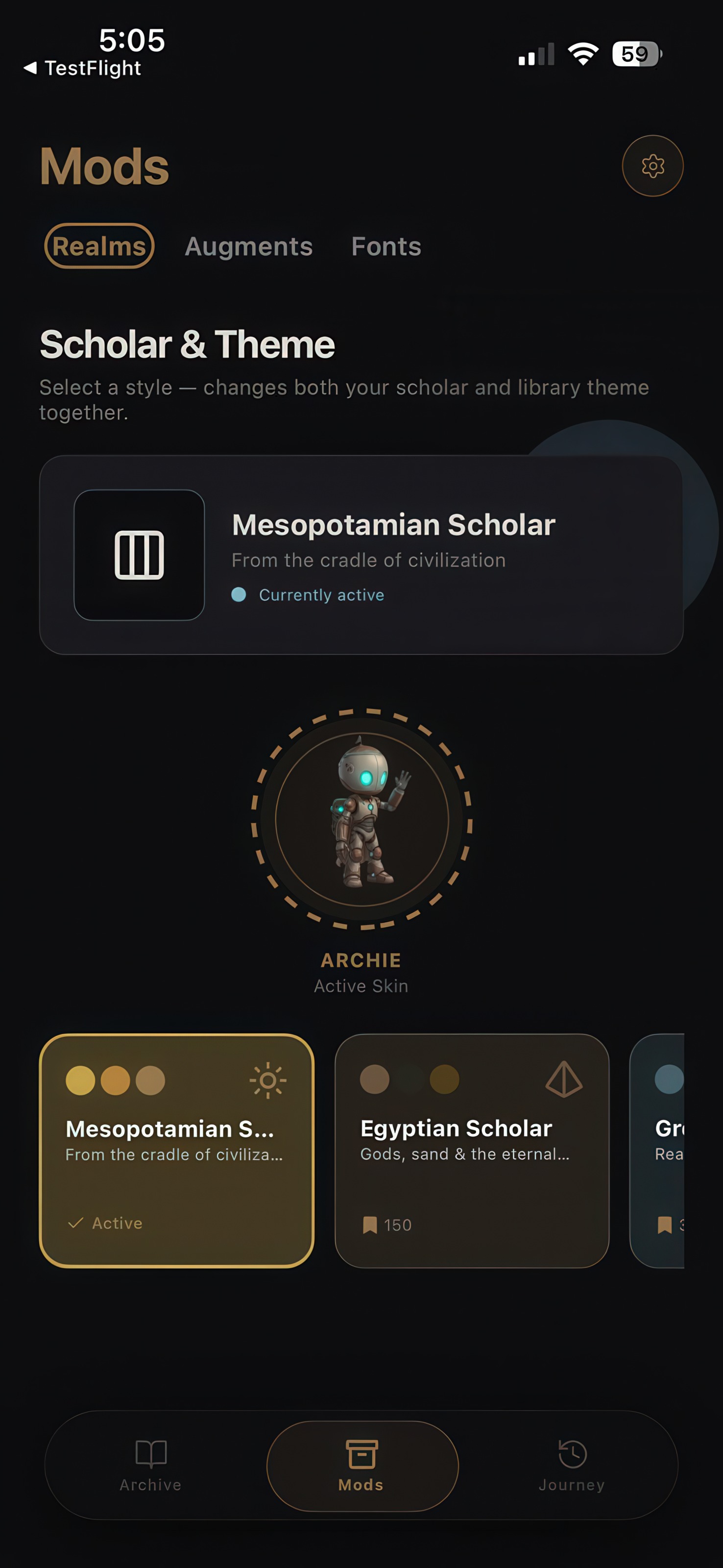
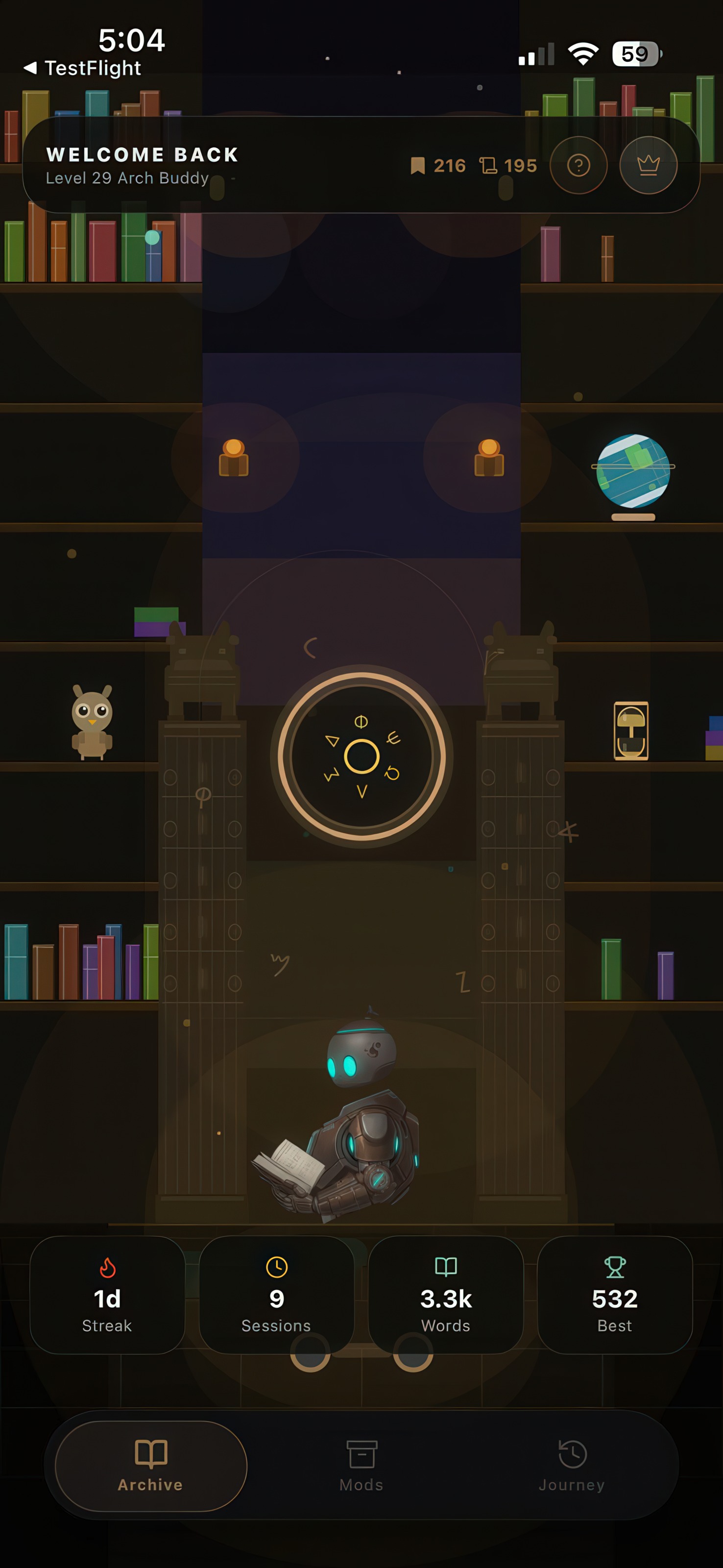
Your personal Archive grows richer the more you read. By earning Bookmarks and Scrolls, you can unlock new Realms, Augments, and Arch Buddy skins. Watch as your shelves fill and the library changes around you. Maintain your streak and your reward multiplier climbs. Each reading session genuinely matters.

Collectible Realms
🏛️Mesopotamian
𓂀Egyptian
Greek
🦅Roman
🤖Futuristic
More coming
Upgrade

Arch Buddy Pro.

Powerful upgrades for serious readers. Tap the Crown icon in the top bar to subscribe. Regional pricing applied automatically.

Arch Buddy Pro
$11.49 / year · Regional pricing applied automatically
800 Deep OCR Scans
AI precision—messy handwriting, faded pages, complex layouts.
150 Bonus Bookmarks
Credited on sign-up—jump-start your Archive faster.
2× Scrolls Per Session
Every session earns double the rare Scroll currency.
More Languages
AI OCR reads and extracts text in multiple languages.
The Builder

A note from the author.

"Arch Buddy is my first app I've built through vibe-coding. I wanted to make reading feel like an exploration, one that remembers what you've accomplished. Thanks for trying it out, and for helping shape what it becomes."

A. R. LYON
Get Started

The library is waiting.

The Arch Buddy is ready. The text is not going to read itself.

Download on iOS Explore Pro